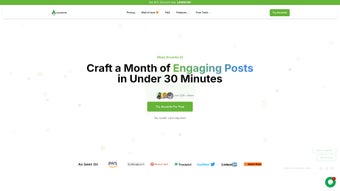

Download Accento AI – AI‑Powered LinkedIn Content Scheduler & Writer
Overview: Why Accento AI Is the Go‑To LinkedIn Automation Tool
In today’s professional landscape, a strong LinkedIn presence isn’t optional—it’s a career‑building necessity. Yet crafting thoughtful posts, articles, and polls can feel like a full‑time job, especially for founders, marketers, and busy executives. Accento AI steps into that gap as a subscription‑based web application designed to automate LinkedIn content creation while preserving the personal voice of each user. By harnessing the latest generative‑AI models, the platform analyzes your profile, industry keywords, and past engagement patterns to generate tailor‑made posts that reflect your expertise and interests. The result is a steady stream of high‑quality content without the mental fatigue of brainstorming every single update.
What sets Accento AI apart from generic social‑media schedulers is its laser focus on LinkedIn. The tool doesn’t merely repost the same generic templates; it offers a variety of content types—including short status updates, long‑form articles, image‑rich posts, and interactive polls—each optimized for maximum reach. Additionally, the platform provides profile‑optimization suggestions, helping you fine‑tune your headline, summary, and skill sections to boost discoverability. Built‑in analytics let you track impressions, click‑through rates, and audience growth, giving you data‑driven insights to refine your strategy over time.
While the service does not currently support other social networks and lacks a free tier, its deep integration with LinkedIn’s algorithm makes it a compelling investment for professionals who view the platform as a primary channel for lead generation, thought‑leadership, and networking. In the sections that follow, we’ll dive into the core features, walk through the installation and usage process, discuss system compatibility, weigh the pros and cons, and answer the most common questions prospective users have about Accento AI.
Key Features & Benefits
- AI‑Generated Post Drafts: Uses natural‑language processing to create personalized LinkedIn updates based on your profile, industry trends, and target audience.
- Multi‑Format Content Creation: Supports text posts, long‑form articles, image posts, and polls—all generated or suggested by the AI.
- Content Calendar & Scheduler: Plan, queue, and automatically publish posts at optimal times for maximum engagement.
- Profile Optimization Tips: Real‑time suggestions for headlines, summaries, and skill endorsements that improve search visibility.
- Performance Analytics Dashboard: Track impressions, likes, comments, and follower growth to measure ROI.
- Industry‑Specific Templates: Pre‑built frameworks for tech, finance, marketing, SaaS, and more, ensuring relevance across sectors.
- Secure Cloud Storage: All drafts and schedule data are encrypted and stored in GDPR‑compliant servers.
- Collaboration Mode (Pro tier): Invite team members to co‑author or review posts before publishing.
Each of these features is designed to reduce the time you spend on content ideation and execution. For example, the AI‑generated drafts incorporate your most‑used keywords and recent achievements, so the resulting post feels authentic rather than robotic. The content calendar visualizes your posting cadence, allowing you to maintain a consistent brand voice—something LinkedIn’s algorithm rewards heavily. Meanwhile, the analytics suite provides a clear picture of what resonates with your audience, enabling data‑backed tweaks to future posts.
Users also appreciate the platform’s ability to suggest visual assets. By simply uploading a brand‑aligned image, Accento AI can generate an accompanying caption that aligns with the post’s tone. The poll creator, another standout feature, automates question phrasing and answer options, making it easy to spark conversations without the typical “what should I ask?” paralysis. In short, Accento AI offers a comprehensive toolbox that turns LinkedIn from a sporadic activity into a strategic, automated growth engine.
Installation, Setup & Compatibility
Because Accento AI is a cloud‑based web application, there is no traditional download or installation process. Getting started is as simple as visiting the official website, creating an account, and linking your LinkedIn profile. The platform uses OAuth 2.0 for secure authentication, ensuring that your credentials never leave LinkedIn’s servers. After granting the necessary permissions, Accento AI can read your profile data, past posts, and engagement metrics to fine‑tune its AI models.
Step‑by‑step setup:
- Navigate to accento.ai and click “Start Free Trial”.
- Enter your email address and create a strong password (or use Google SSO).
- Connect your LinkedIn account by clicking “Link LinkedIn” and follow the OAuth prompts.
- Complete the onboarding questionnaire: select your industry, target audience, and preferred posting frequency.
- Review the AI‑generated content samples; tweak tone, length, or hashtags as needed.
- Save your first batch of posts to the calendar, set publishing times, and enable “Auto‑Publish”.
Once configured, the platform runs entirely in the browser, making it compatible with any operating system that supports modern web standards. Whether you’re on Windows 10/11, macOS Ventura, Linux, or even a Chromebook, Accento AI works flawlessly on Chrome, Edge, Safari, and Firefox. For mobile users, a responsive design ensures that you can review drafts and adjust schedules on the go via any smartphone browser.
Supported Operating Systems: Windows, macOS, Linux, ChromeOS, iOS (Safari/Chrome), Android (Chrome/Firefox).
Because the service lives in the cloud, updates and new features are rolled out automatically—no manual patches or version checks required. Security is handled at the server level, with TLS encryption for data in transit and AES‑256 encryption for data at rest. Users can also enable two‑factor authentication (2FA) on their Accento AI account for an extra layer of protection.
Pros and Cons
Advantages
- Highly specialized for LinkedIn, delivering content that aligns with the platform’s professional tone.
- AI‑driven personalization saves hours of manual drafting each week.
- Robust scheduling calendar eliminates the need for third‑party tools.
- Integrated analytics provide actionable insights on post performance.
- Secure, cloud‑based architecture works on any device or operating system.
Drawbacks
- No multi‑platform support—cannot schedule content for Twitter, Instagram, or Facebook.
- Only a paid subscription model; no free tier or limited‑time trial beyond the initial 7‑day period.
- Advanced collaboration features are locked behind higher‑price plans.
- Reliance on AI may produce generic phrasing if the onboarding questionnaire is not detailed.
- Requires a stable internet connection; offline drafting is not possible.
Overall Verdict: Accento AI is a powerful, niche‑focused solution that dramatically streamlines LinkedIn content workflows. While its single‑platform focus limits broader social‑media strategies, the depth of features, AI personalization, and analytics make it a worthwhile investment for professionals serious about building a strong LinkedIn brand.
Conclusion & Frequently Asked Questions
If you’re a founder, marketer, or thought‑leader looking to amplify your LinkedIn impact without sacrificing countless hours, Accento AI delivers a compelling blend of AI‑generated content, scheduling automation, and performance analytics. The platform’s web‑based nature means you can access it from any device, and the secure, GDPR‑compliant infrastructure ensures your data remains private. Though the lack of multi‑platform support and a free tier may deter some users, the specialized focus on LinkedIn often outweighs these limitations for professionals whose primary growth channel lives on the world’s largest professional network.
Ready to supercharge your LinkedIn presence? Start your free trial today and experience how AI can turn content creation from a chore into a strategic advantage.
Frequently Asked Questions
Does Accento AI post directly to LinkedIn or just schedule drafts?
Accento AI can both schedule drafts and automatically publish them at the times you set. The “Auto‑Publish” toggle enables hands‑free posting once the content is approved.
What type of subscription plans are available?
Accento AI offers a monthly and annual plan. The basic plan includes unlimited post generation and scheduling, while the Pro plan adds collaboration, advanced analytics, and priority support.
Can I import existing LinkedIn posts into Accento AI for analysis?
Yes. Once you connect your LinkedIn account, Accento AI automatically pulls your recent posts and engagement data to inform future content suggestions.
Is there a free version or trial period?
Accento AI offers a 7‑day free trial with full feature access. After the trial, you’ll need to select a paid subscription to continue using the service.
How secure is my data on Accento AI?
All data is encrypted in transit (TLS) and at rest (AES‑256). The platform complies with GDPR and offers two‑factor authentication for added security.






